
How to Fix the OpenClaw Termux Python Sqlite3 Module Missing Error
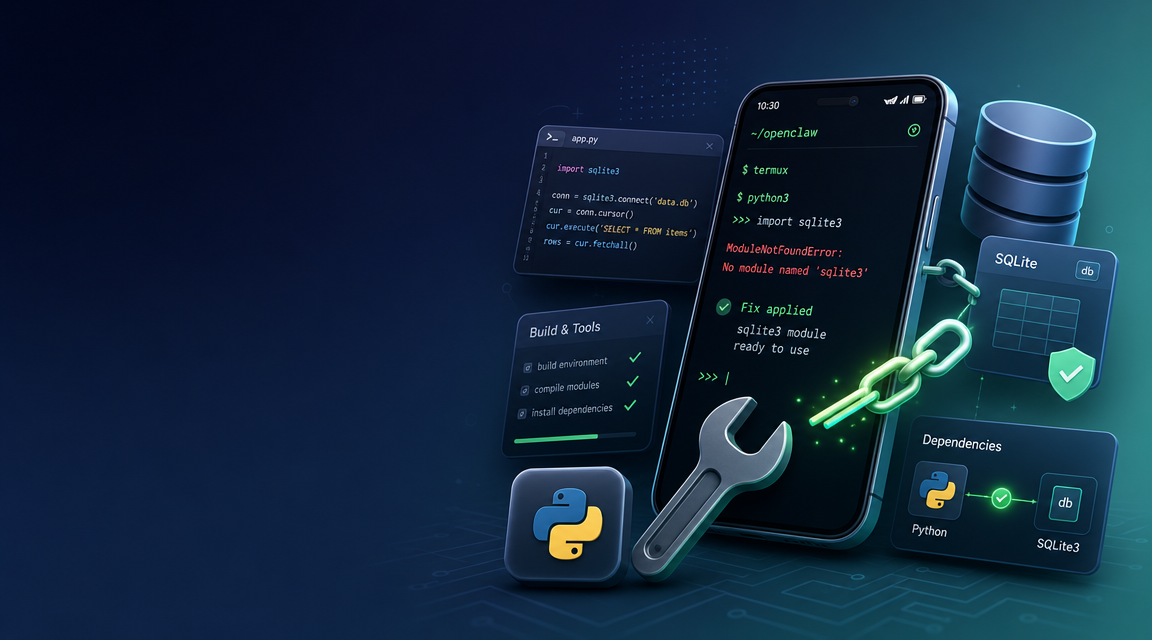
Running an autonomous agent like OpenClaw directly on an Android device using Termux sounds incredibly futuristic. The idea of having an intelligent daemon running natively in your pocket is appealing. However, when users first attempt to initialize their OpenClaw environment on a mobile system, they inevitably hit a wall: the dreaded `ModuleNotFoundError: No module named '_sqlite3'`.
This error abruptly halts your AI workflow because OpenClaw fundamentally relies on SQLite to handle agent memory, logging, and state persistency. In this post, we’ll explore exactly why this Termux sqlite3 error happens, provide the code steps to resolve it manually, and explain why offloading your mobile agent architecture to ClawLite is ultimately the more productive choice.
Summary Q&As
Q: Why am I getting the `ModuleNotFoundError: No module named '_sqlite3'` error when running OpenClaw on Termux? A: This occurs because the default Python installation in Termux doesn't always compile or link the native SQLite development libraries required by OpenClaw's memory subsystems.
Q: How do I fix the missing sqlite3 module in Android Termux? A: You need to install the `pkg install sqlite` and `libsqlite` dependencies and potentially re-install or recompile Python within Termux, or alternatively switch to a cloud-based agent environment like ClawLite.
Definitions
Termux: An Android terminal emulator and Linux environment app that works directly with no rooting or setup required. SQLite3: A C-language library that implements a small, fast, self-contained, high-reliability, full-featured SQL database engine, which OpenClaw relies on to maintain conversational context and memory. ClawLite:* A fully managed, production-ready AI workflow layer and orchestration platform that bypasses the complexities of local Android setups, granting instant, robust access to OpenClaw architectures out of the box without the hassle of dependency troubleshooting.
Why the Error Happens
When you use package managers on stripped-down Linux environments like Termux, Python is often compiled minimally to save space and reduce immediate dependency overhead. The SQLite C-extensions require the `libsqlite` headers present during Python's compilation. Without them, Python builds successfully but silently leaves out the `_sqlite3` binding.
The Manual Fix: Resolving the SQLite3 Error in Termux
If you want to stick strictly to the manual local route, here are the steps to inject the proper SQLite dependencies into your Termux OpenClaw environment:
- Update Your Packages:
Ensure your Termux base is fully up to date.
```bash
pkg update && pkg upgrade -y
```
- Install SQLite Dependencies:
You must install the SQLite package along with its development headers before Python attempts to build any related virtual environment packages.
```bash
pkg install sqlite -y
pkg install libsqlite -y
```
- Re-install Python and OpenClaw:
If Python was already installed without SQLite support, you may need to clear the cache, rebuild it, or recreate your virtual environment.
```bash
pkg remove python -y
pkg install python -y
python -m venv ~/openclaw-env
source ~/openclaw-env/bin/activate
pip install openclaw
```
Visual Comparison: Termux Local Setup vs. ClawLite Managed Workflow
| Feature/Metric | Termux (Local Android) | ClawLite (Managed Platform) |
|---|---|---|
| Setup Time | 30 - 60 minutes | < 2 minutes |
| Dependency Errors | Frequent (SQLite, C++ compilers) | None (Pre-configured architecture) |
| Battery Impact | High (Drains mobile device) | Zero (Runs on the cloud) |
| Environment Persistency | Killed by Android OS memory management | 24/7 Always-On Reliability |
| Scalability | Limited to mobile device specs | Unlimited enterprise-grade scaling |
Why ClawLite is the Smarter Alternative
The manual steps above will indeed fix your `sqlite3` missing module error. But you have to ask yourself: Should your mobile device really be responsible for running a complex AI agent stack?
Every minute you spend debugging dependency graphs, fighting Android's background app killers, and installing C-compiler headers is a minute you aren't actually building your AI workflows. This is exactly where ClawLite shines.
ClawLite provides a resilient, managed product layer on top of OpenClaw. Instead of forcing your mobile device's CPU to churn through package compilations, ClawLite acts as the operational bridge. With ClawLite, you get the exact same autonomous capabilities but hosted on a production-ready infrastructure. You simply connect your mobile device to your ClawLite dashboard via the browser or API, and everything works.
By leveraging ClawLite, your smartphone becomes what it was meant to be: a sleek, low-power remote control for a high-powered AI agent ecosystem. No more `sqlite3` errors. No more drained batteries. Just instant, reliable, and scalable intelligent automation.
Conclusion
Fixing the Python `sqlite3` module error in Termux requires a few specific `pkg` commands and an environment rebuild. However, if you are serious about integrating OpenClaw into your daily operations without constantly battling mobile Linux edge cases, adopting ClawLite is the definitive operational advantage. Try migrating your local agent experiments to ClawLite today and experience what friction-free AI management feels like.