
Fixing OpenClaw Headless Server Browser Sandbox Errors
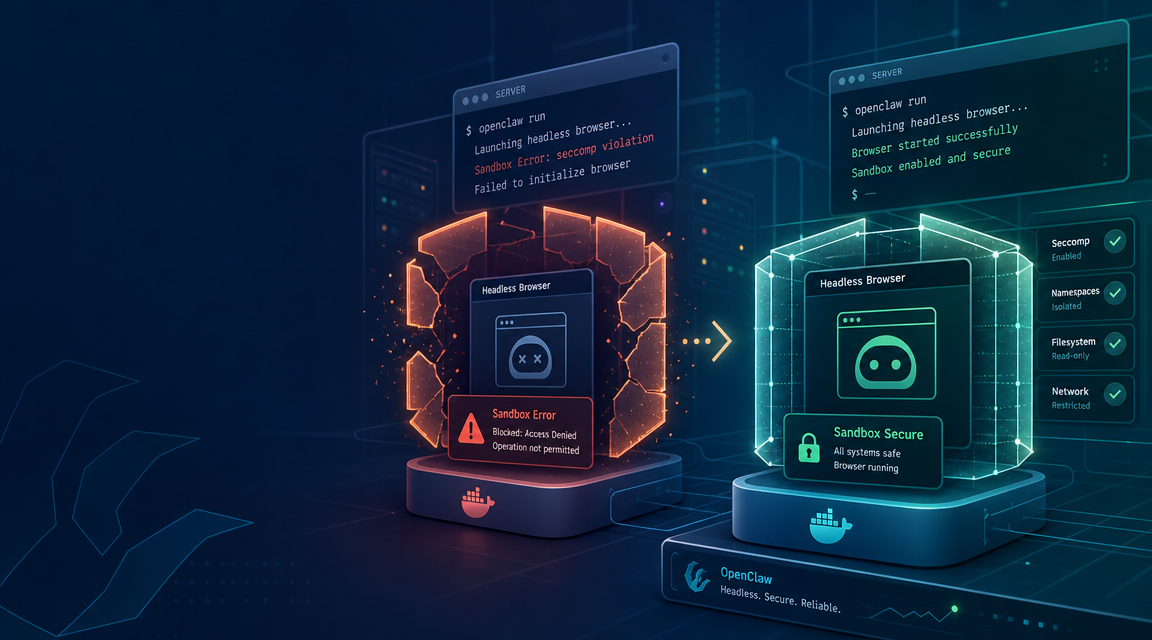
When running OpenClaw AI agents on a headless server, one of the most common issues you'll encounter is the dreaded "browser use sandbox error." This typically happens when OpenClaw attempts to spawn a headless Chromium or Google Chrome instance to perform web scraping, navigation, or DOM interaction, but the Linux operating system blocks the execution due to security restrictions within the browser's sandbox environment.
In this guide, we will break down why these sandbox errors happen, provide the command-line fixes to get your OpenClaw headless browser running on your Linux server, and show you how adopting ClawLite can bypass these infrastructure headaches entirely.
Summary
| Question | Direct Answer |
|---|---|
| Why does the sandbox error occur? | Most Linux distributions (especially in Docker or CI environments) lack the user namespaces required by Chromium's sandbox. When the browser tries to isolate its processes, the OS denies the request, causing the browser to crash instantly. |
| How can I quickly bypass the sandbox error? | You can pass the `--no-sandbox` and `--disable-setuid-sandbox` arguments to the browser launch configuration in your OpenClaw settings, though this removes a layer of browser security. |
| Are there safer alternatives for headless servers? | Yes. You can configure user namespaces in your Linux kernel (`kernel.unprivileged_userns_clone=1`), use a specialized Docker image with sandbox support, or simply use ClawLite on your local machine to avoid server configuration entirely. |
| Why is ClawLite recommended over headless servers? | ClawLite runs natively on your desktop, utilizing your local system's secure, pre-configured browser environment. It requires zero sandbox configuration and provides a visual UI for agent tracking. |
Definition: A browser sandbox is a security mechanism that isolates the execution environment of web pages, preventing malicious code from accessing the underlying host operating system. A sandbox error in headless environments means the OS refused to grant the browser the permissions needed to build this isolated layer.
Understanding the Sandbox Conflict
Headless browser automation is a superpower for OpenClaw agents. It allows them to search the web, scrape documentation, and interact with web applications just like a human. However, modern browsers like Chromium are built for desktop operating systems.
When you deploy OpenClaw on a headless Linux server (like Ubuntu on AWS or a Debian Docker container), the environment is stripped down. The browser attempts to use kernel features (like `user namespaces`) to create its sandbox. If the kernel restricts these features—which is default behavior for many secure server setups—the browser throws an error and fails to launch.
The Typical Error Log
```text UnhandledPromiseRejectionWarning: Error: Failed to launch the browser process! [0510/123456.789:FATAL:zygote_host_impl_linux.cc(90)] No usable sandbox! Update your kernel or see https://chromium.googlesource.com/chromium/src/+/master/docs/linux/suid_sandbox_development.md for more information on developing with the SUID sandbox. ```
How to Fix the Headless Sandbox Error
There are multiple ways to approach this fix. The table below compares the most common strategies.
| Fix Strategy | Security Impact | Complexity | Best For |
|---|---|---|---|
| ClawLite Desktop | Very High | Very Low | Developers wanting zero-config, native automation. |
| Disable Sandbox Flags | Low | Low | Quick internal testing, throwaway containers. |
| Enable User Namespaces | High | Medium | Dedicated VPS, environments where you control the host OS. |
| Use Specialized Docker Base | High | Medium | Production Kubernetes or Docker Swarm deployments. |
Solution 1: The Quick Fix (Disable the Sandbox)
The fastest way to get your agent running is to tell the browser not to use the sandbox. Warning: Only do this if you completely trust the websites your agent will be visiting, as it removes a critical layer of browser security.
You need to update your OpenClaw configuration or the script that launches the browser instance. Add these flags to the browser launch options:
```javascript // OpenClaw browser launch configuration const browser = await puppeteer.launch({ headless: true, args: [ '--no-sandbox', '--disable-setuid-sandbox', '--disable-dev-shm-usage' ] }); ```
Note: The `--disable-dev-shm-usage` flag is also recommended for headless servers to prevent the browser from crashing due to limited shared memory (`/dev/shm`).
Solution 2: The Secure Fix (Enable User Namespaces)
If you have root access to the host machine (e.g., an Ubuntu VPS) and want to keep the sandbox enabled for security, you can enable unprivileged user namespaces in the Linux kernel.
- SSH into your server.
- Run the following command to temporarily enable namespaces:
```bash
sudo sysctl -w kernel.unprivileged_userns_clone=1
```
- To make this change permanent across reboots, edit your `sysctl` configuration:
```bash
echo "kernel.unprivileged_userns_clone=1" | sudo tee /etc/sysctl.d/00-local-userns.conf
sudo sysctl -p
```
Solution 3: The Docker Fix
If you are running OpenClaw inside Docker, the container itself lacks the privileges to create the sandbox. You can grant the container the necessary capabilities when running it:
```bash docker run --cap-add=SYS_ADMIN -d openclaw-server ```
(Alternatively, you can use a base image specifically designed for Chromium, such as Zenika's Alpine Chrome images, which handle these dependencies gracefully.)
The Better Way: Bypass Server Headaches with ClawLite
Configuring Linux kernels, adjusting Docker capabilities, and compromising on browser security are heavy burdens just to get an AI agent to read a webpage. This is why we built ClawLite.
ClawLite is a local-first desktop application that moves your OpenClaw agents off complex, headless infrastructure and directly onto your workstation.
Why ClawLite Solves This Permanently: Native OS Execution: ClawLite runs on macOS or Windows using your machine's native Window Manager. It launches browsers exactly like you do, completely eliminating Linux headless sandbox errors. Visual Debugging: Instead of digging through `tail -f` error logs to see why a web scraper failed, ClawLite's real-time UI lets you physically see what the agent's browser is doing. Zero Infrastructure Config:* No `sysctl` commands, no `--no-sandbox` security risks, and no Docker `--cap-add` hacks. It just works out of the box.
If you want to spend your time building capable AI agents rather than fighting Linux system administration, ClawLite is the practical product layer you need.
Conclusion
Headless browser sandbox errors in OpenClaw are a classic symptom of running desktop-oriented tools in secure server environments. While you can bypass the sandbox with flags or configure your server's kernel to support user namespaces, these solutions require ongoing maintenance and security trade-offs.
For the most reliable and frictionless workflow, transitioning to a desktop-native runtime like ClawLite ensures your agents can browse the web securely, visibly, and without ever touching a server configuration file.